Data Integration Tutorials
Step-by-step guides for configuring ingestion pipelines and converting clinical source data into structured OMOP CDM records using the Patient Journey Intelligence platform.
Ingesting structured FHIR data into OMOP CDM
This tutorial shows how to upload a FHIR bundle and convert its structured clinical content — conditions, medications, observations, procedures, encounters, and visits — into OMOP CDM records. It covers two paths: a direct ingestion path for bundles that already contain the structured facts you need, and an NLP-enriched path that additionally processes selected clinical notes through de-identification, entity extraction, and terminology normalization.
Step-by-step: FHIR data ingestion into OMOP CDM
End-to-end walkthrough: uploading a FHIR bundle, configuring an ingestion pipeline, and validating OMOP output - with and without NLP enrichment.
Start a new ingestion job
Open Data Ingestion in the left menu. Go to Ingestion Jobs and create a new ingestion job.
Choose Local Upload as the ingestion source to select the JSON file or archive containing your FHIR content. After upload, the platform lists the documents in the import package so you can inspect and preview the FHIR resources in the bundle before proceeding.
Select clinical notes for ingestion
The platform shows the clinical notes available in the uploaded bundle. Preview each note before deciding whether to include it. Only the notes you select are loaded into the OMOP note table — notes you exclude are not stored. This lets you ingest the structured FHIR facts from the full bundle while loading only the relevant unstructured text.
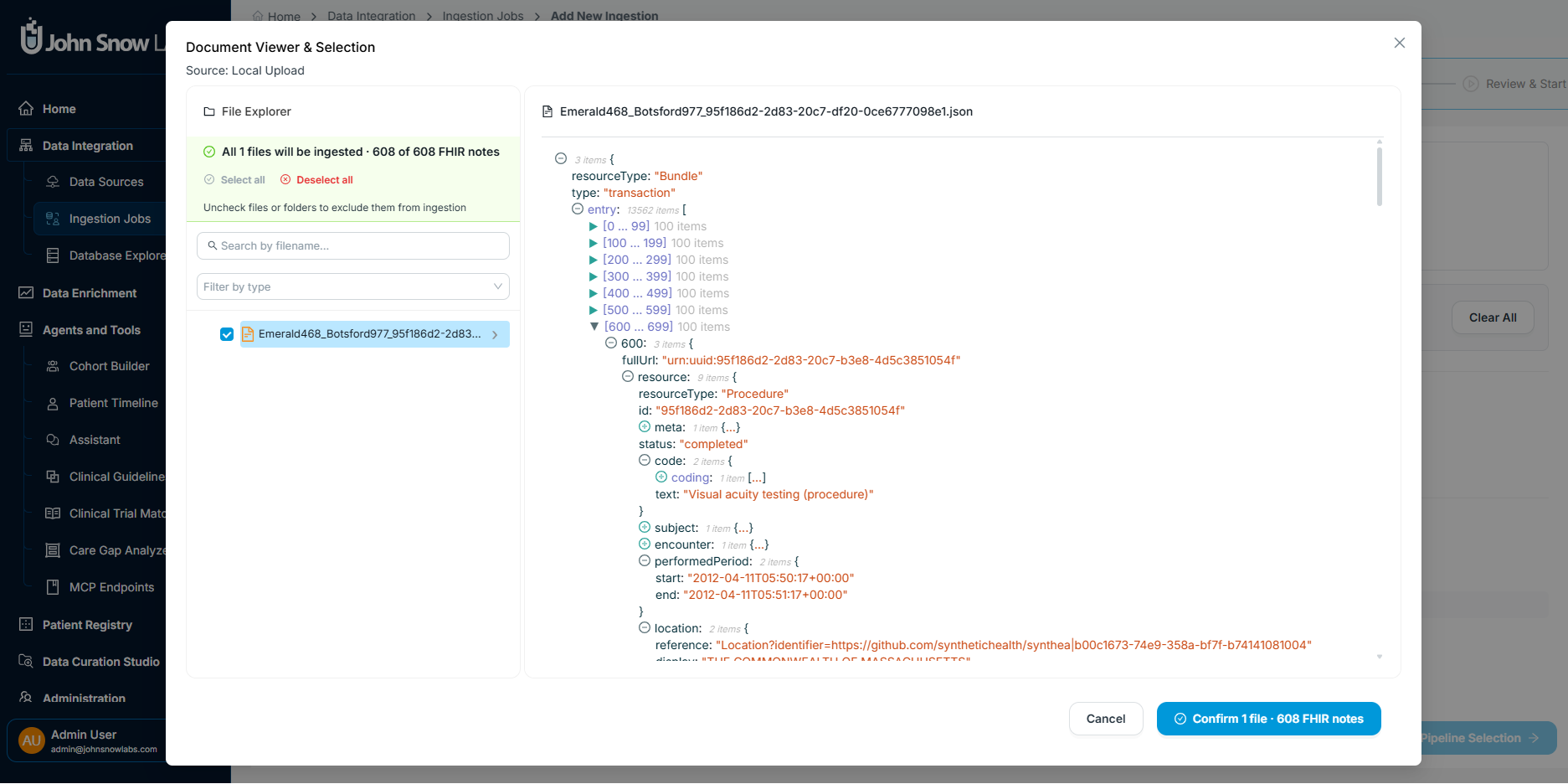
The document viewer lets you preview each clinical note in the FHIR bundle and select which ones to include in the ingestion.
Define ingestion job settings
Enter a name for the ingestion job, then choose when it should run: start immediately, schedule for a later time, or configure it to run within a specific time window.
This step also lets you:
- skip documents already ingested in a previous run
- import patient demographics from FHIR
Patientresources - update existing cohorts & registry with patients in the current ingestion
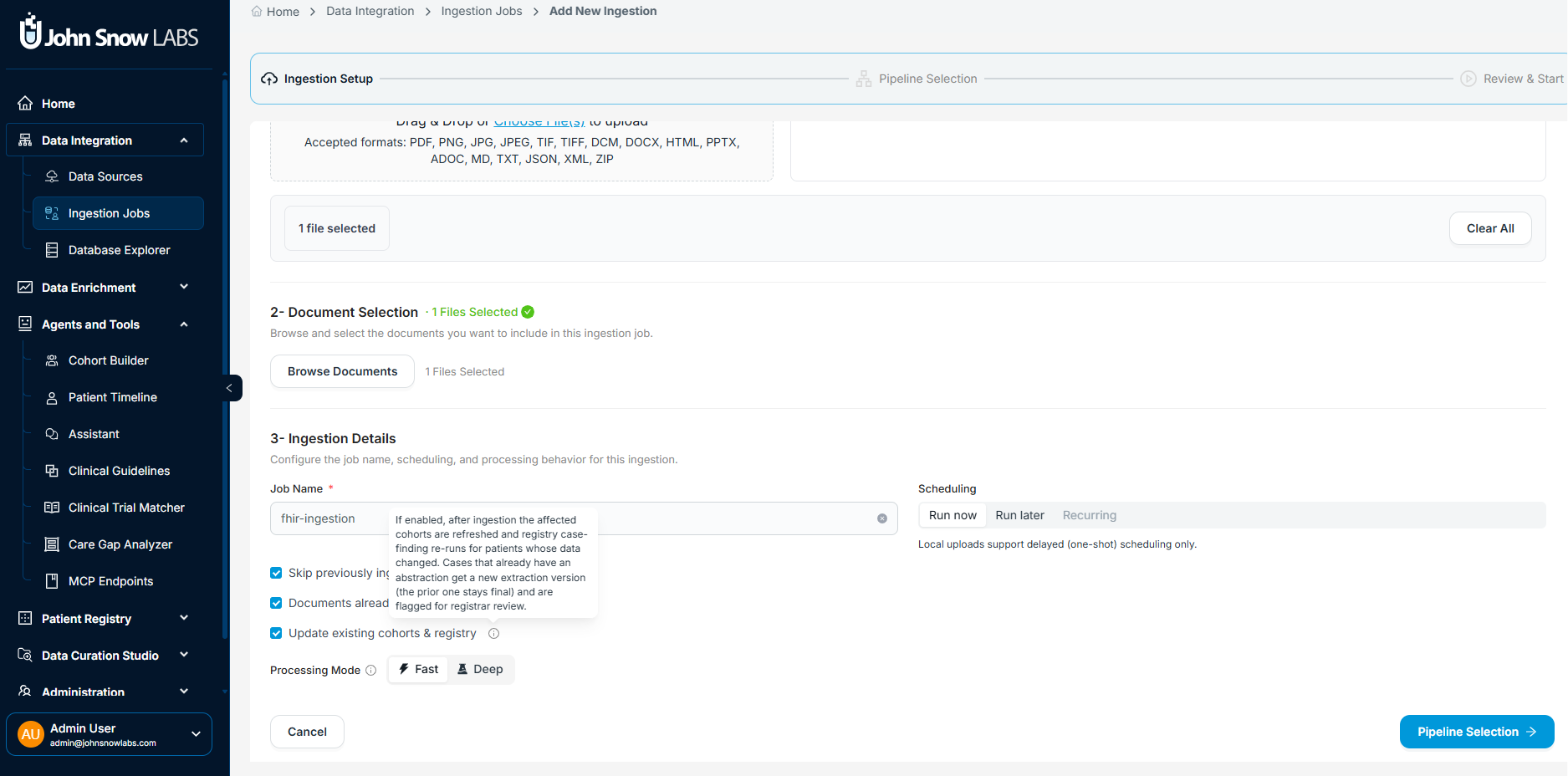
Define the job name, run schedule, and options for handling duplicate documents and patient demographics before starting the ingestion.
Select or configure the ingestion pipeline
Choose an existing pipeline or create a new configuration and save it as a reusable template. The pipeline you select determines what happens to the data after the FHIR bundle is uploaded.
Without NLP (direct path)
Select a pipeline that runs structured ingestion only. FHIR clinical facts are mapped directly to OMOP, and any selected notes are stored as plain text without further processing. Use this path when the bundle already contains the structured data you need.
With NLP enrichment
Select a pipeline that adds NLP processing for the notes you selected in the previous step. This path:
- de-identifies note text using your selected de-identification profile
- extracts clinical entities from free text — diagnoses, medications, findings, and more
- maps extracted entities to standard terminologies: SNOMED CT, RxNorm, and ICD-10
- merges NLP-derived facts with structured FHIR data into unified OMOP records
Use this path when the FHIR bundle contains note text that requires de-identification, entity extraction, or concept mapping before downstream use.
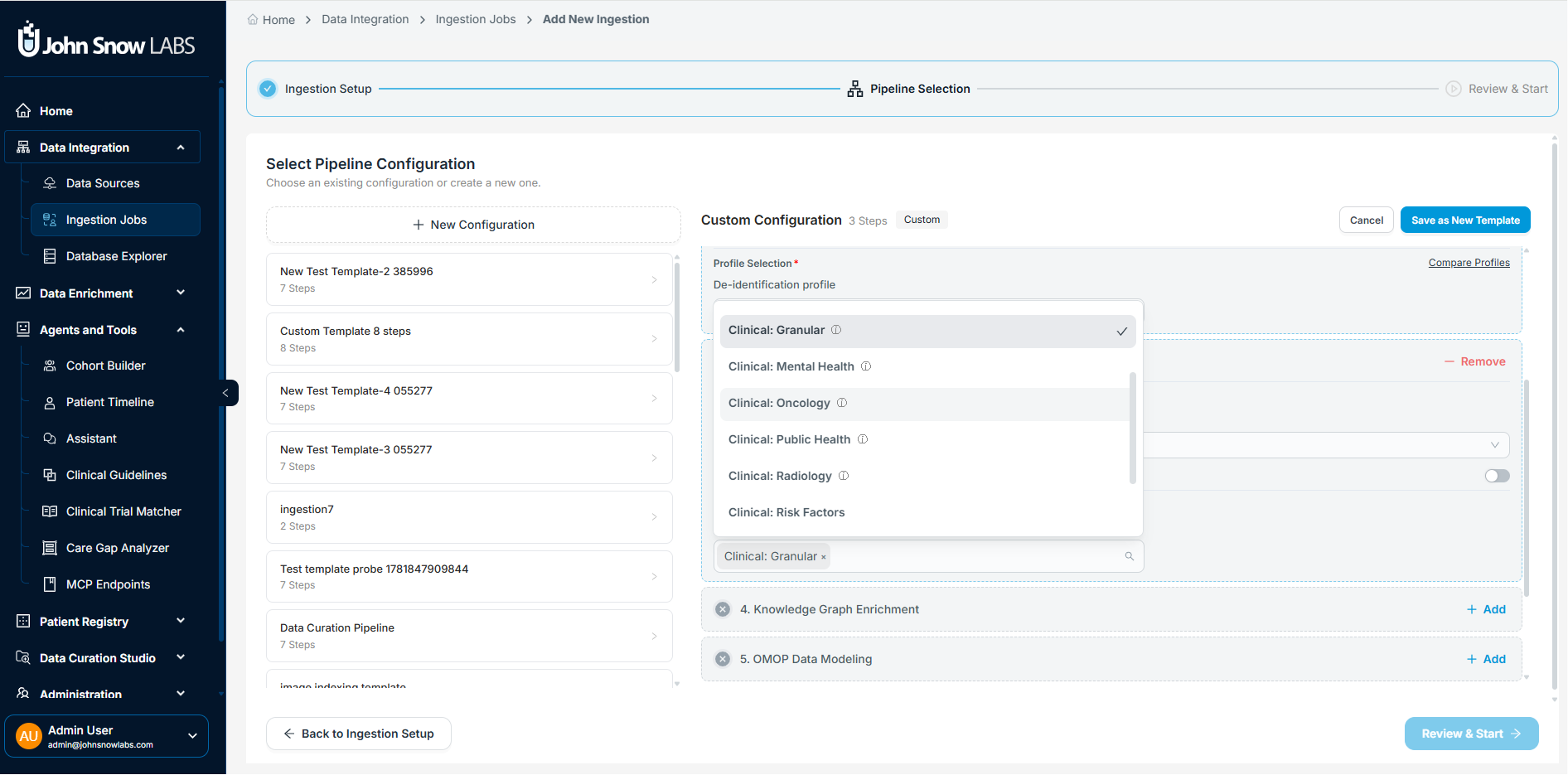
Select an existing pipeline or build a new one. Enable, disable, or tune individual steps to match your workflow, then save the configuration as a reusable template.
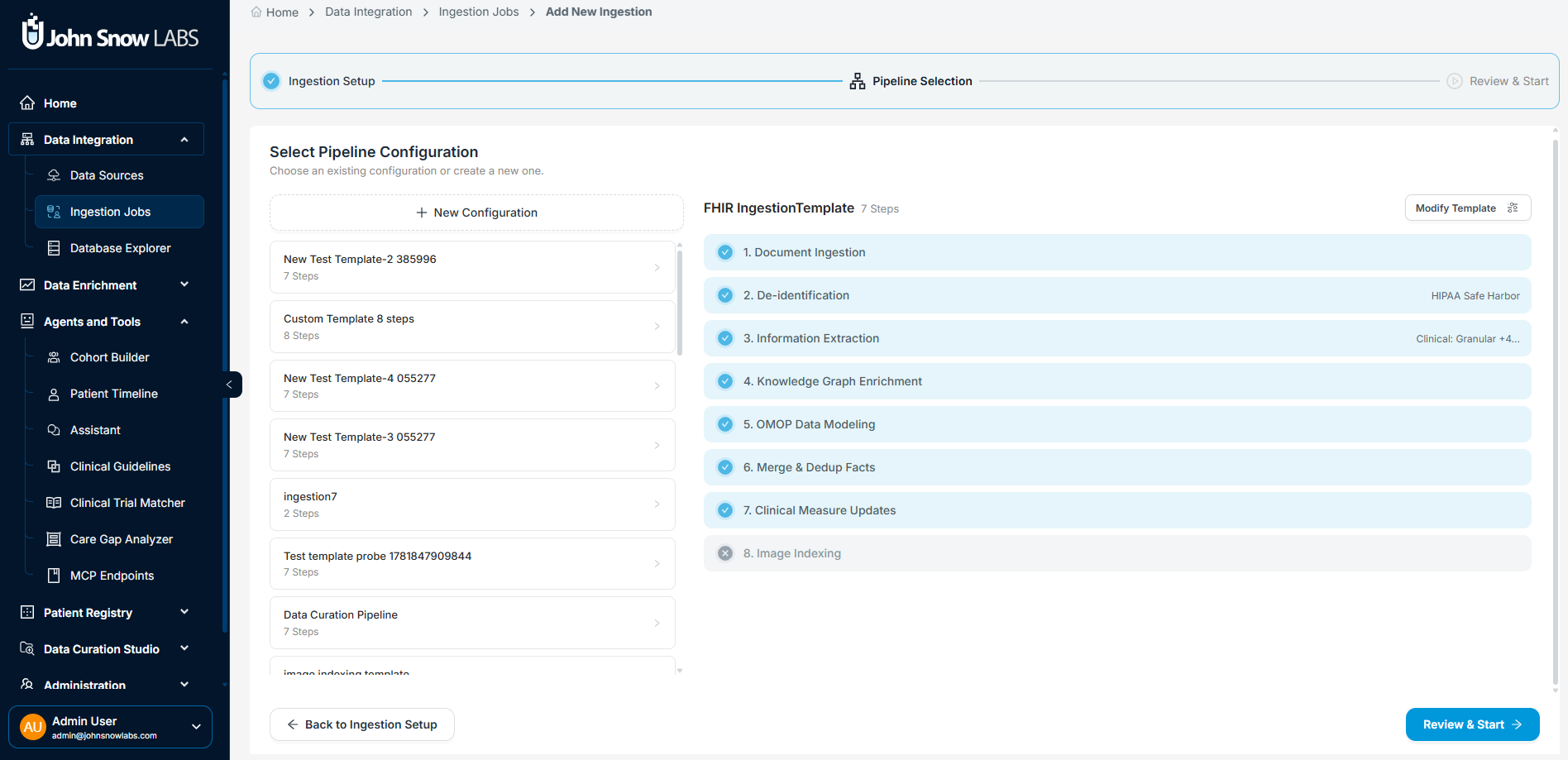
The confirmation screen summarizes every configured pipeline step. Review the full definition before starting the job.
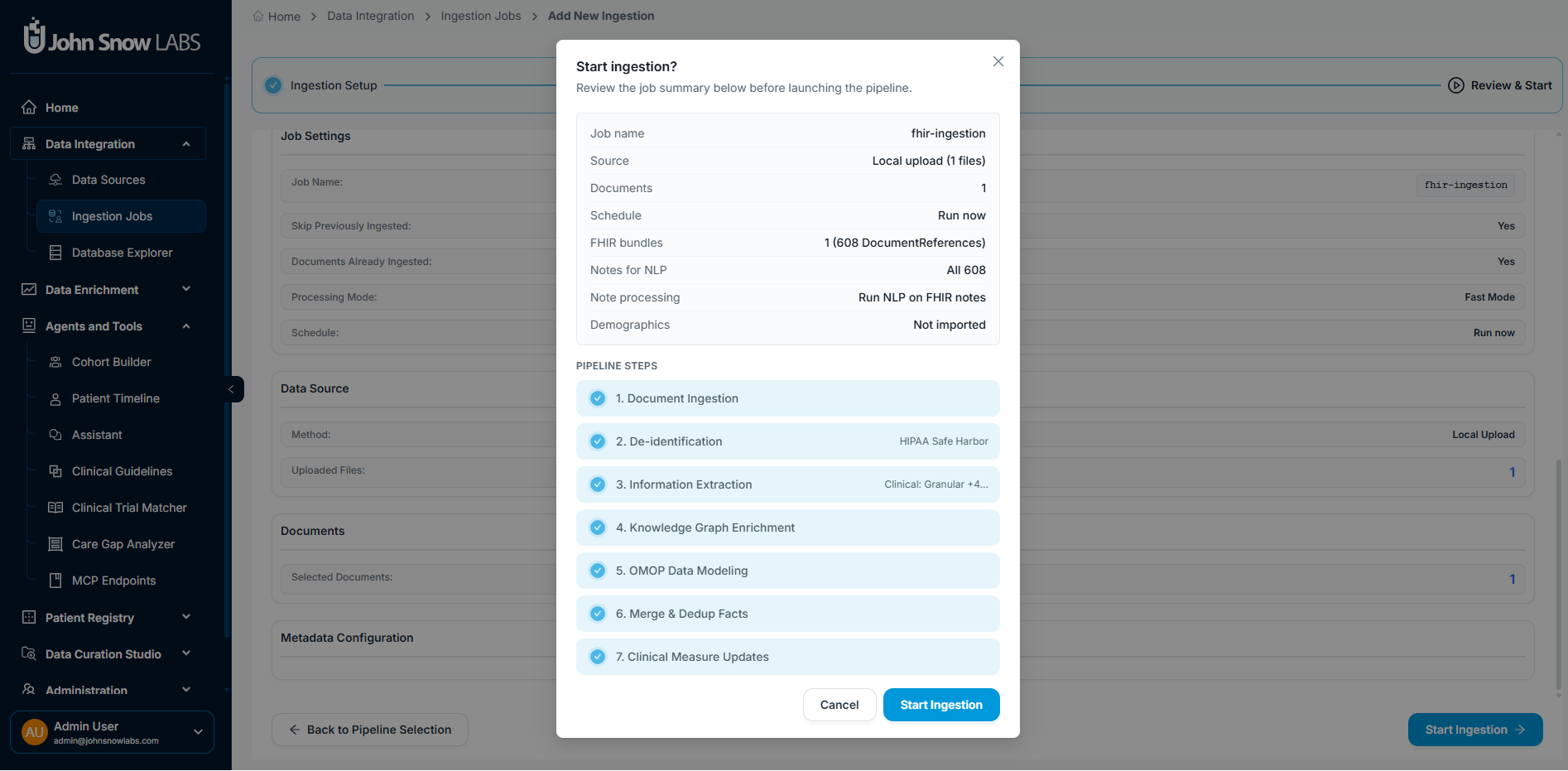
Review the complete job definition — source, pipeline, schedule, and options — then start the ingestion.
Monitor ingestion progress
Once the job starts, the platform displays live step-level progress and logs. Each pipeline step reports its status and document counts in real time, so you can confirm the job is processing as configured without waiting for it to complete.
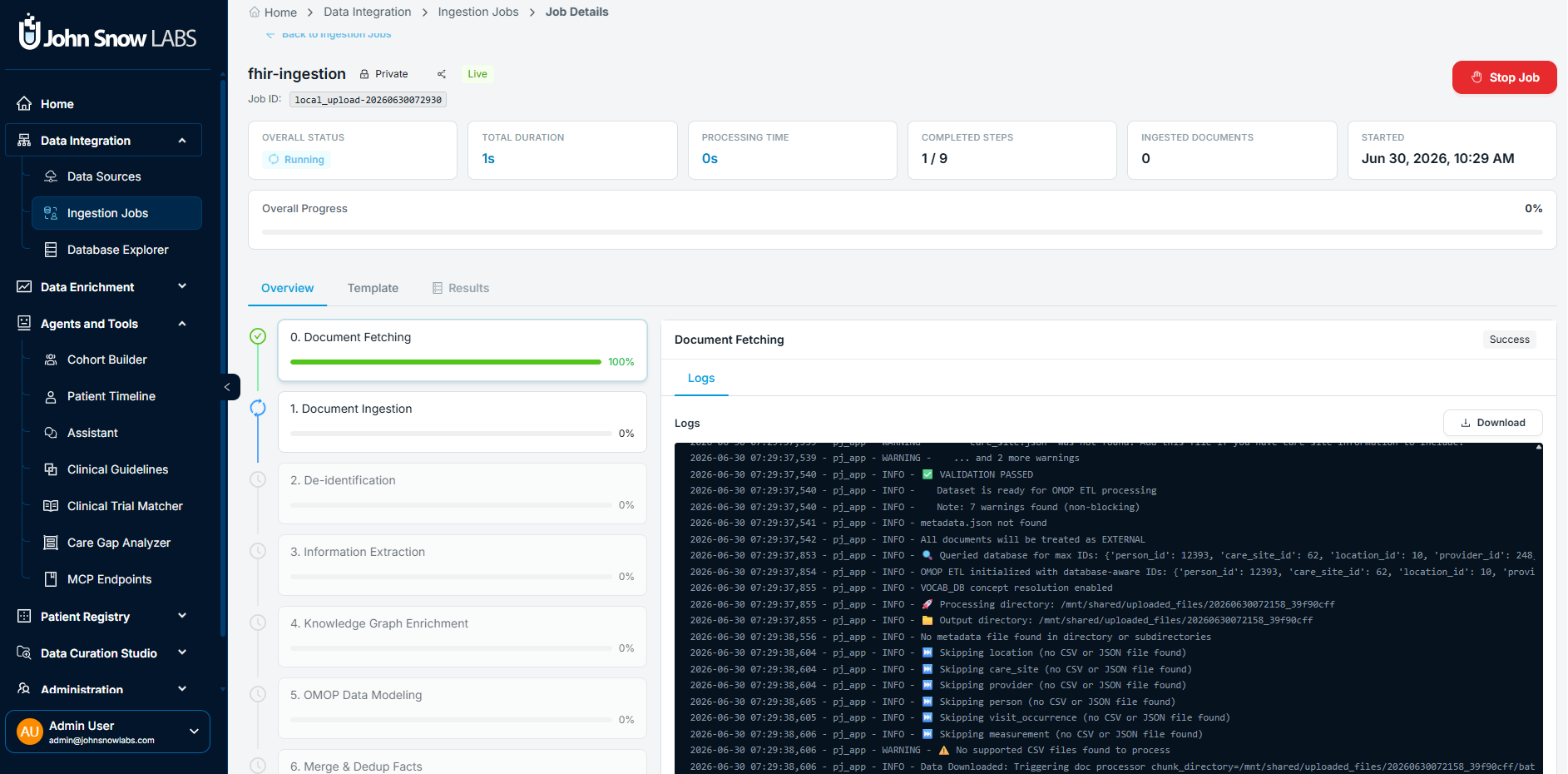
Each pipeline step reports status and document counts in real time. Expand any step to access detailed logs.
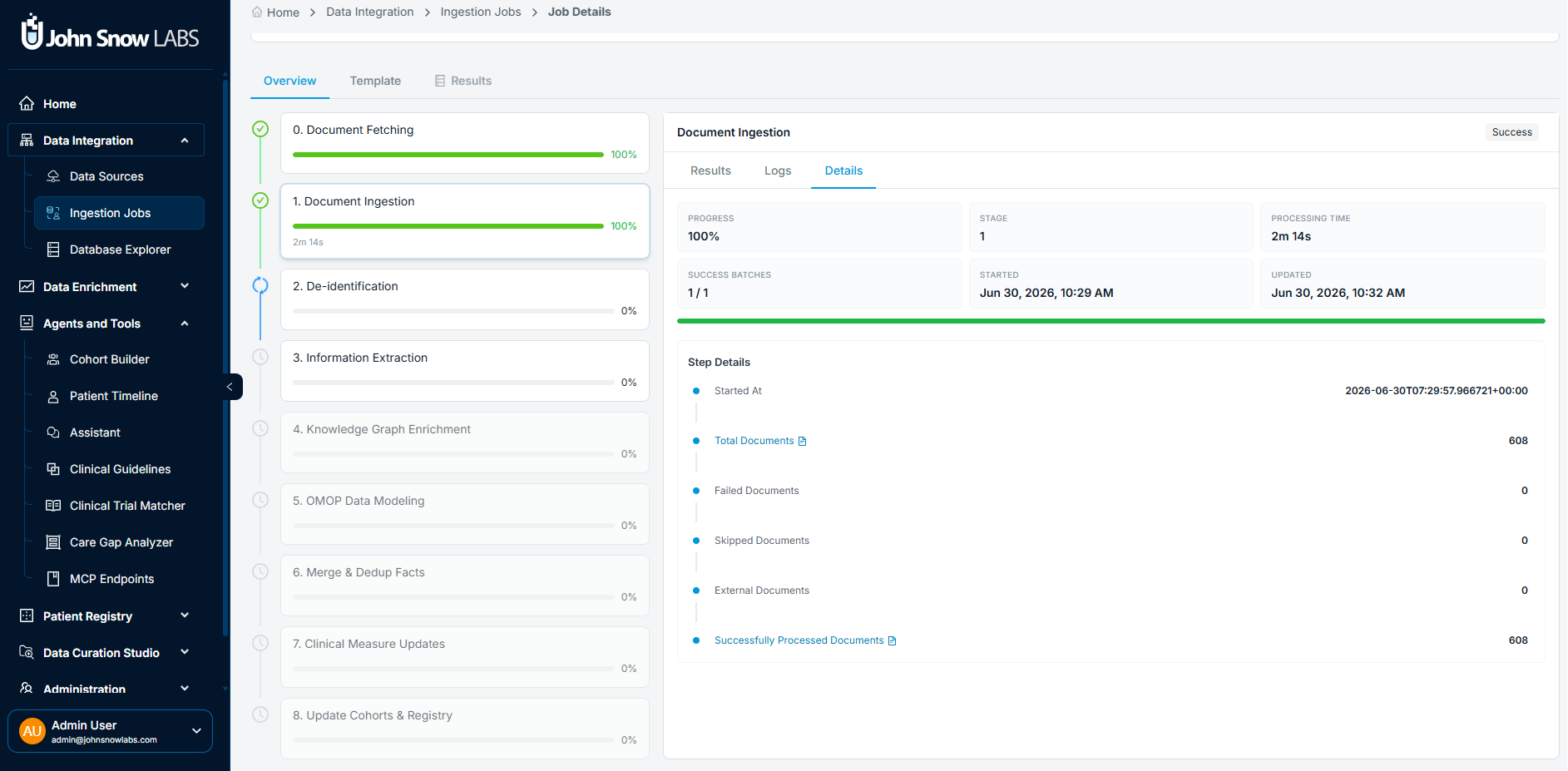
Detailed per step progress feedback with direct access to processing logs.
Review and explore the results
When ingestion completes, the output is available as structured OMOP records in the platform. In the direct workflow, those records reflect the structured FHIR facts, with selected notes stored as plain text. In the NLP-enriched workflow, the output additionally includes concept-linked clinical entities extracted from note text, merged with the structured FHIR data into a unified OMOP record per patient.
From there, you can explore the data through the platform's agents and downstream workflows.
More tutorials coming soon. To request a specific topic, contact the John Snow Labs team.